Corporate Web Design Project: A Student's Guide to Building a Professional Business Website
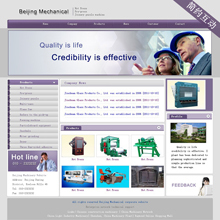
For students tackling a web design assignment with an English-language corporate theme, creating a polished, functional website is an excellent opportunity to apply theoretical knowledge to a practical, real-world scenario. This type of project goes beyond basic HTML and CSS; it requires an understanding of business communication, branding, user experience (UX), and professional presentation.
Project Definition & Planning
Begin by defining a fictional company. Choose a clear industry (e.g., tech startup, consulting firm, sustainable product brand). Develop core elements: a company name, logo concept, mission statement, and target audience. This foundational work will guide every design decision. Create a site map outlining key pages: Home, About Us, Services/Products, Contact, and potentially a Blog or News section. Wireframing these pages (even with simple sketches) is crucial for planning layout and user flow.
Design Principles for a Corporate Aesthetic
Corporate design prioritizes clarity, trust, and professionalism.
- Color Scheme: Opt for a restrained palette. Navy blue, dark gray, white, and accents of a single bold color (like green or orange) are classic choices. Ensure high contrast for readability.
- Typography: Use clean, sans-serif fonts (e.g., Roboto, Open Sans, Lato) for body text and headings. Maintain consistency in font sizes and weights to establish a clear visual hierarchy.
- Imagery: Source high-quality, relevant stock photos or create simple graphics. Avoid generic clichés. Images should reflect the company's values and appear professional.
- Layout: Embrace white space (negative space) to avoid clutter. Implement a responsive grid system so the website looks impeccable on desktops, tablets, and mobile devices.
Key Page Content & Structure
- Homepage: This is the digital front door. Feature a strong hero section with a compelling headline, a brief sub-header, and a clear call-to-action (e.g., "Learn More," "Contact Us"). Provide succinct overviews of key offerings with links to deeper pages.
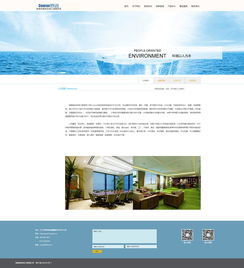
- About Us: Narrate the company story. Include sections for Mission/Vision, Company History, and Team Profiles (with placeholder photos and bios). This builds credibility.
- Services/Products: Present offerings in a clear, scannable format. Use icons, brief descriptions, and dedicated pages or modals for detailed explanations.
- Contact Page: A must-have. Include a contact form (functioning with basic PHP or a form service), the company's physical address (fictional), phone number, and email. Embedding a Google Maps snippet adds a realistic touch.
Technical Execution & Development
Build the site using HTML5, CSS3, and introduce interactivity with JavaScript (e.g., for image sliders, form validation, smooth scrolling). Employ a CSS framework like Bootstrap or Tailwind CSS to expedite responsive development. Ensure all code is well-commented and organized. Crucially, all textual content must be in fluent, natural English, mimicking the tone of a real business.
Delivering the Finished Assignment
The final submission should be a fully functional website hosted on a platform like GitHub Pages, Netlify, or a local server demonstration. Accompany it with a brief report or presentation covering:
- The company profile and target audience.
- Design rationale (color, typography, layout choices).
- Technical implementation overview.
- Challenges faced and solutions found.
This project demonstrates not just coding skill, but also strategic design thinking and an understanding of how digital platforms serve business objectives—a perfect culmination of a web design and site construction assignment.
如若转载,请注明出处:http://www.716jz.com/product/35.html
更新时间:2026-03-01 04:31:48